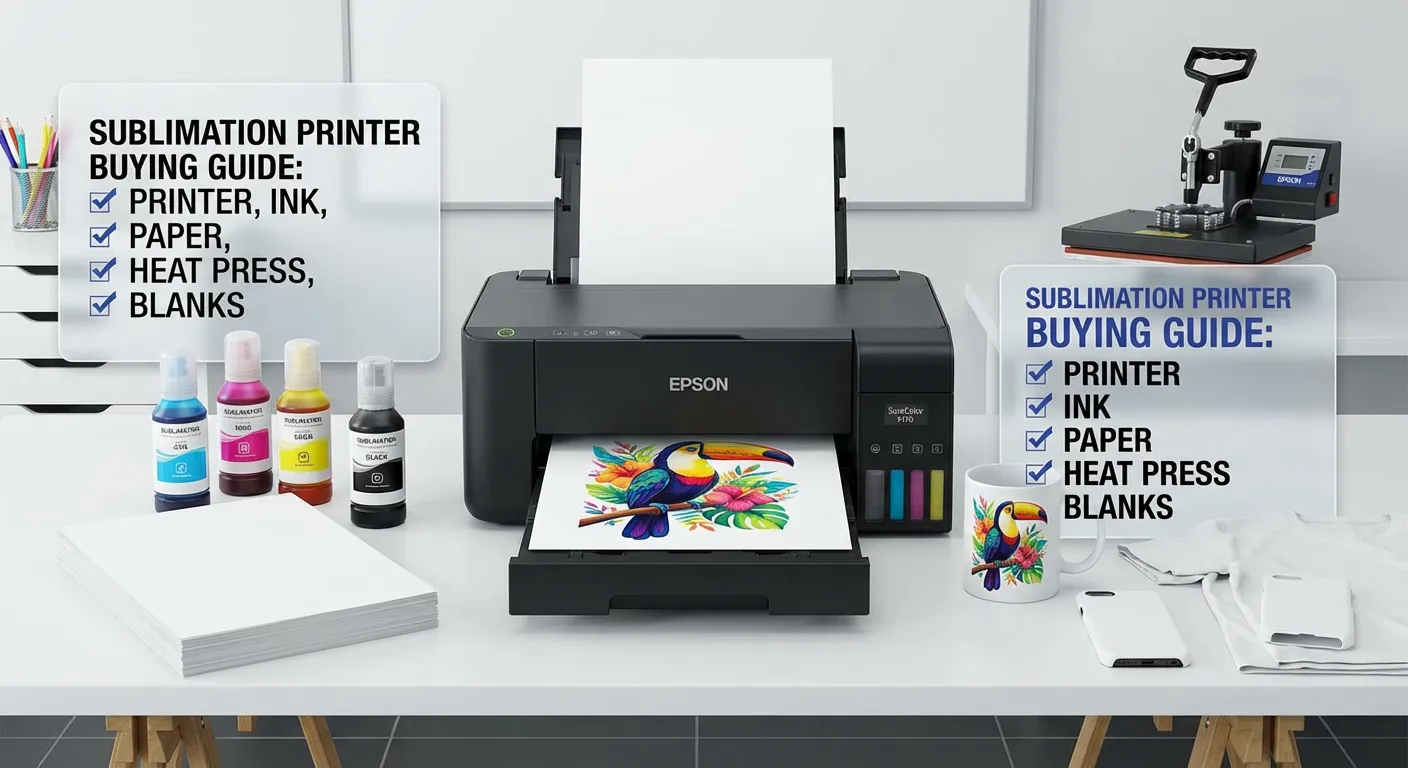
A sublimation printer transforms ordinary items into personalized masterpieces, making it an essential tool for custom printing businesses, crafters, and entrepreneurs. Having worked with various sublimation printing systems over the past five years, I’ve witnessed firsthand how the right printer can mean the difference between struggling with inconsistent results and running a profitable custom printing operation. If you’re frustrated with limited color vibrancy, expensive outsourcing, or wondering whether sublimation printing is worth the investment, this guide will answer every question. From understanding the technology to choosing the perfect sublimation printer for your specific needs, you’ll discover everything required to make an informed purchasing decision and achieve professional-quality results from day one.
What is a Sublimation Printer?
A sublimation printer is a specialized printing device that uses heat-activated dye sublimation ink to transfer designs onto polyester fabrics, polymer-coated items, and other compatible materials. Unlike traditional inkjet printers that spray liquid ink onto surfaces, sublimation printers apply special dye-based inks that convert from solid to gas when heated, allowing the ink to penetrate the material’s surface at a molecular level. This creates permanent, vibrant, and wash-resistant prints that won’t crack, peel, or fade over time.
The sublimation process requires three key components: a sublimation printer loaded with sublimation ink, special sublimation transfer paper, and a heat press machine. The printer outputs your design onto the transfer paper, then heat and pressure from the press cause the ink to transform into gas and bond with polyester fibers or polymer coatings. This chemical bonding process differentiates sublimation from other printing methods, delivering superior durability and color saturation.
How Sublimation Printing Works
The Sublimation Process Explained
The sublimation printing workflow begins with digital design creation using software like Adobe Photoshop, CorelDRAW, or specialized RIP software. The design is printed in reverse (mirror image) onto sublimation paper using sublimation-specific inks. The printed transfer paper is then positioned on the substrate, whether fabric, ceramic, metal, or other compatible material.
Heat press application at temperatures typically between 350-400°F (175-205°C) for 45-60 seconds causes the solid ink particles to skip the liquid phase entirely and transform directly into gas. This gaseous state allows ink molecules to penetrate the material’s pores. As the material cools, the ink returns to solid form while permanently embedded within the substrate’s structure rather than sitting on the surface.
Why Sublimation Creates Superior Results
The molecular bonding achieved through sublimation produces several advantages over traditional printing methods. Colors remain vibrant indefinitely because the ink is part of the material rather than a surface coating. The prints withstand repeated washing, UV exposure, and physical abrasion without deterioration. Additionally, sublimated designs maintain the original texture of the base material since no ink layer builds up on the surface.
Types of Sublimation Printers
Desktop Sublimation Printers
Desktop models like the Epson EcoTank ET-2800 or Sawgrass SG500 serve small businesses, hobbyists, and home-based operations. These compact printers typically handle paper sizes up to 8.5×11 inches or 13×19 inches, making them ideal for phone cases, mugs, small apparel items, and personalized gifts. Desktop sublimation printers offer affordable entry points into the market, with prices ranging from $300 to $1,500.
Wide Format Sublimation Printers
Wide format systems like the Epson SureColor F570 or Sawgrass SG1000 accommodate larger prints for full garments, banners, flags, and oversized products. These professional-grade printers handle paper widths from 24 to 64 inches, enabling efficient production of t-shirts, hoodies, and other full-size apparel. Investment costs range from $4,000 to $20,000 depending on width and features.
Commercial Sublimation Systems
Industrial sublimation printers from manufacturers like Mimaki, Roland, and Mutoh serve high-volume production facilities requiring maximum speed, precision, and durability. These systems often feature automated media handling, bulk ink systems, and advanced color management capabilities. Commercial systems represent significant investments starting around $15,000 and extending beyond $100,000 for top-tier equipment.
Converted vs Purpose-Built Printers
Some users convert standard Epson EcoTank printers for sublimation use by replacing OEM inks with aftermarket sublimation inks. This approach reduces initial costs but may void warranties and produce less consistent results. Purpose-built sublimation printers like Sawgrass models are engineered specifically for sublimation ink chemistry, offering optimized print heads, superior color profiles, and manufacturer support designed for sublimation workflows.
Best Sublimation Printers Comparison
Sawgrass SG500 vs Epson EcoTank ET-2800
The Sawgrass SG500 represents a purpose-built sublimation solution with proprietary SubliJet-UHD inks and software optimized specifically for sublimation applications. Print quality excels with vibrant colors and excellent detail reproduction. The system costs approximately $700-900, including software and initial ink cartridges. Epson EcoTank ET-2800 converted for sublimation costs $250-350 plus aftermarket ink investment of $100-150.
Sawgrass provides dedicated technical support, color profiles, and guaranteed compatibility with sublimation inks. Epson conversions require DIY troubleshooting and may experience clogging issues with some aftermarket inks. For serious businesses prioritizing reliability and support, Sawgrass justifies the premium. Budget-conscious hobbyists accepting some technical challenges find value in converted EcoTank models.
Epson SureColor F570 vs Sawgrass SG1000
Both printers serve the wide format market with 24-inch print width capability. The Epson SureColor F570 costs approximately $5,000-6,000 and offers Epson’s PrecisionCore printhead technology with exceptional reliability. The Sawgrass SG1000 retails around $7,000-8,000 with complete software packages and color management tools included.
Epson F570 provides faster print speeds, larger ink cartridges reducing cost per print, and broader dealer network for supplies and service. Sawgrass SG1000 delivers superior out-of-box color accuracy through proprietary ink formulations and includes comprehensive design software worth $1,000+ separately. Print quality differences are minimal between systems, making the decision primarily about workflow preferences and software ecosystem.
Entry-Level vs Professional Systems
Entry-level desktop sublimation printers handle 100-200 transfers monthly for side businesses and hobbyist applications. Professional wide-format systems efficiently produce 500-2,000+ transfers monthly for established businesses. The performance gap extends beyond volume capacity to include print speed, color consistency, media handling, and reliability under continuous operation.
Sublimation Printer Pros and Cons
Advantages
Permanent Vibrant Prints: Sublimation produces the most durable and color-saturated prints available, with designs maintaining original brilliance through hundreds of wash cycles.
No Hand Feel: Unlike screen printing or vinyl, sublimated designs have zero texture or thickness, preserving the original fabric feel and breathability.
Unlimited Color Options: Print full-color photographs, gradients, and complex designs without color limitations or additional costs per color.
Cost-Effective for Small Runs: Produce single custom items economically without setup fees, minimum order quantities, or expensive screens.
Versatile Application Range: Print on t-shirts, mugs, mousepads, phone cases, awards, signage, home décor, and hundreds of other polyester or coated products.
Quick Turnaround Time: Complete orders in minutes rather than days, enabling same-day fulfillment and just-in-time production.
Eco-Friendly Process: Sublimation generates minimal waste compared to screen printing, with no harsh chemicals, excess ink disposal, or water consumption.
Disadvantages
Material Limitations: Sublimation only works on polyester fabrics or polymer-coated items, eliminating pure cotton, leather, and many natural materials.
White Fabric Requirement: The process doesn’t print white ink, requiring white or light-colored base materials for accurate color representation.
Initial Investment Cost: Complete sublimation setup including printer, heat press, and supplies requires $800-2,000 minimum investment.
Color Accuracy Challenges: Achieving consistent color matching requires proper calibration, color management knowledge, and high-quality monitor setup.
Heat Press Requirement: Unlike direct-to-garment printing, sublimation mandates a separate heat press machine adding equipment costs and workspace needs.
Ink Cost Consideration: Sublimation inks cost more than standard inkjet inks, though pricing improves with bulk purchasing and refillable systems.
Learning Curve: Mastering proper temperature, pressure, timing, and color management requires practice and experimentation.
Buying Guide: How to Choose the Right Sublimation Printer
Assess Your Production Volume
Calculate realistic monthly transfer requirements before selecting equipment. Hobbyists producing 50-100 items monthly succeed with entry-level desktop models like the Sawgrass SG500 or converted Epson EcoTank. Small businesses targeting 200-500 monthly transfers benefit from mid-range systems with faster speeds and larger cartridges. Established operations exceeding 500 monthly units require wide-format professional printers to maintain efficiency and profitability.
Determine Maximum Print Size Needs
Your product mix dictates necessary print dimensions. Phone cases, mugs, and small apparel decorations fit within 8.5×11 inch desktop printer capabilities. Full t-shirt, hoodie, and large format applications demand 13×19 inch or wider printing capacity. Businesses offering diverse product ranges should choose systems accommodating their largest regular item rather than limiting capabilities with undersized equipment.
Budget Planning and Total Cost Analysis
Calculate complete startup costs beyond printer purchase price. Budget includes sublimation printer ($300-8,000), heat press machine ($200-3,000), sublimation paper ($50-200 monthly), sublimation ink ($100-500 initially), blank inventory ($500-2,000), and design software ($0-1,000). Entry-level complete setups start around $1,000 total, while professional operations invest $8,000-15,000 for comprehensive systems.
Evaluate Ink System Types
Cartridge-based systems like Sawgrass printers offer convenience and consistent quality with proprietary ink formulations. Initial costs run higher per milliliter, but eliminate mixing, filling, and compatibility concerns. Refillable tank systems like Epson EcoTank models reduce long-term ink costs through affordable bulk ink purchases. However, they require manual filling attention and potentially face clogging issues with lower-quality aftermarket inks.
Consider Software and Support
Purpose-built sublimation printers often bundle specialized RIP software with color management tools, ICC profiles, and design templates. These packages streamline workflow and ensure optimal output quality. Converted printers require separate software purchases or reliance on basic driver printing with limited color control. Factor technical support availability into decisions, as troubleshooting assistance proves invaluable when production deadlines loom.
Research Reliability and Reviews
Investigate user experiences through forums, Facebook groups, and review sites before committing. The sublimation printing community actively shares insights about specific model performance, common issues, and practical tips. Brands like Epson and Sawgrass maintain strong reputations for reliability, while lesser-known brands may offer savings at the expense of consistency and longevity.
Essential Sublimation Supplies and Equipment
Sublimation Ink Requirements
Quality sublimation ink directly impacts color vibrancy, longevity, and print head reliability. Leading brands include Sawgrass SubliJet-UHD, Artainium, InkOwl, and Printers Jack. Cheap generic inks frequently cause clogs, inconsistent colors, and premature print head failure. Invest in reputable ink brands matched to your printer model’s specifications for optimal results.
Sublimation Paper Selection
Transfer paper quality affects color transfer efficiency, sharpness, and final vibrancy. Heavy-weight papers (100-120gsm) provide better ink retention and reduce bleed-through. Sticky or tacky sublimation papers help secure transfers during pressing, preventing ghosting from movement. Budget approximately $30-80 for 100-sheet packages of quality A4 or letter-size sublimation paper.
Heat Press Machine Options
Heat press selection depends on your product focus. Clamshell presses offer compact footprints and affordability ($200-600) suitable for flat items. Swing-away models ($400-1,500) provide better heat distribution and easier access for thick items. Mug presses ($150-400), hat presses ($300-800), and specialty attachments enable diverse product offerings beyond flat substrates.
Color Calibration Tools
Achieving accurate color reproduction requires monitor calibration devices like X-Rite ColorMunki or Datacolor SpyderX ($100-200). These tools ensure your screen displays colors accurately, preventing costly reprints from mismatched expectations. Regular calibration maintains consistency as monitors age and lighting conditions change.
Common Sublimation Printer Problems and Solutions
Print Head Clogging Issues
Clogged print heads rank as the most common sublimation printer problem. Prevention includes running nozzle checks weekly, performing head cleanings when patterns show gaps, and never allowing the printer to sit idle for more than two weeks without printing. If clogs occur, use the printer’s deep cleaning cycle up to three times. Persistent clogs may require professional print head cleaning solutions or replacement.
Color Accuracy Problems
Inconsistent colors stem from uncalibrated monitors, incorrect heat press temperature, poor-quality substrates, or inappropriate ink profiles. Verify heat press temperature accuracy with infrared thermometer guns. Use manufacturer-recommended ICC color profiles matching your specific printer, ink, and paper combination. Test prints on consistent substrates help identify variables affecting output.
Faded or Dull Output
Insufficient heat press temperature, inadequate pressure, or shortened press time causes faded results. Most polyester fabrics require 385-400°F for 45-60 seconds with firm pressure. Coated hard goods may need different specifications. Always reference substrate manufacturer guidelines. Low-quality or expired sublimation inks also produce dull colors regardless of proper pressing technique.
Ghosting and Blurred Images
Movement during heat pressing creates ghosting where designs appear doubled or blurred. Use heat-resistant tape to secure transfer paper corners to substrates. Sticky sublimation paper provides additional security. Ensure substrates lay completely flat without wrinkles or folds. Quick, confident press closure without shifting prevents most ghosting issues.
Banding in Prints
Horizontal lines or bands across prints indicate print head alignment issues or inconsistent ink flow. Run print head alignment utilities from printer maintenance menus. Verify ink cartridges are properly seated and contain sufficient ink. Banding may also result from poor-quality sublimation paper or incorrect printer driver settings. Use appropriate media type selections in print dialogs.
Sublimation Business Opportunities
Popular Sublimation Products
The custom product market spans apparel (t-shirts, hoodies, socks, athletic wear), drinkware (mugs, tumblers, water bottles), phone accessories (cases, pop sockets), home décor (pillows, blankets, wall art), office items (mousepads, coasters, keychains), awards and recognition products, sports equipment, pet products, and seasonal items. Successful businesses often specialize in specific niches rather than attempting to serve all markets simultaneously.
Market Potential and Profitability
Custom printing represents a $10+ billion annual industry with consistent growth driven by consumer demand for personalization. Profit margins on sublimated products range from 50-300% depending on product type, volume, and market positioning. A single sublimated t-shirt costs $3-5 in materials but sells for $15-35 retail. Mugs cost $1-2 in blanks and ink, selling for $10-20. Efficient operations producing 200+ items monthly generate $2,000-5,000+ monthly profit.
Marketing Strategies for Success
Successful sublimation businesses leverage multiple sales channels including Etsy, Amazon Handmade, Shopify stores, local craft fairs, school and corporate partnerships, and social media marketing. Instagram and Pinterest drive discovery for visually appealing custom products. Local sports teams, schools, and businesses provide steady bulk order opportunities. Wedding and event markets offer premium pricing for customized favors and gifts.
Maintenance and Care Tips
Regular Cleaning Schedule
Perform nozzle checks before each print session to catch clogs early. Run standard head cleanings weekly and deep cleanings monthly even without visible issues. Wipe print head housing with lint-free cloths dampened with distilled water monthly. Keep the printer powered on continuously or run test prints at least twice weekly to prevent ink drying in print heads.
Proper Storage and Environment
Maintain printer environment between 60-80°F with 40-60% humidity to prevent ink consistency issues. Store sublimation ink bottles in cool, dark locations away from direct sunlight. Keep sublimation paper sealed in original packaging or airtight containers to prevent moisture absorption affecting transfer quality. Climate-controlled storage extends material shelf life significantly.
Extending Printer Lifespan
Quality sublimation ink prevents accelerated print head wear and costly replacements. Avoid cheap generic inks promising savings but delivering print head destruction. Follow manufacturer maintenance schedules religiously. Replace waste ink pads when indicated to prevent overflow damage. Firmware updates address known issues and improve performance. Budget for print head replacement every 2-5 years depending on usage volume.
Frequently Asked Questions
What is a sublimation printer used for?
A sublimation printer creates permanent, full-color designs on polyester fabrics, mugs, phone cases, and polymer-coated items for custom printing businesses. The printer applies special heat-activated dye inks to transfer paper, which bond with materials at molecular levels when heat pressed. This produces vibrant, durable prints that won’t fade, crack, or peel over time.
Can you use a regular printer for sublimation?
Regular inkjet printers can be converted for sublimation by replacing standard inks with sublimation-specific inks, though this works only with certain models like Epson EcoTank series. Purpose-built sublimation printers like Sawgrass models offer better reliability and color accuracy. Laser printers and HP inkjets cannot be converted due to incompatible print head technology.
How much does a sublimation printer cost?
Entry-level sublimation printers range from $300-900 for desktop models like converted Epson EcoTank or Sawgrass SG500. Professional wide-format systems cost $4,000-8,000, while commercial industrial printers exceed $15,000. Complete startup packages including heat press, supplies, and blanks typically require $1,000-3,000 total investment for small businesses.
What materials can you sublimate on?
Sublimation works on polyester fabrics (minimum 65% polyester content), polymer-coated ceramics, metals, glass, wood, and plastics. Common products include t-shirts, mugs, phone cases, mousepads, puzzles, awards, and signage. The process doesn’t work on pure cotton, leather, or uncoated natural materials because sublimation requires polymer molecules for bonding.
Is sublimation printing profitable?
Yes, sublimation printing offers 50-300% profit margins depending on products and volume. A t-shirt costs $3-5 in materials but sells for $15-35. Mugs cost $1-2 to produce and sell for $10-20. Efficient operations producing 200+ monthly items generate $2,000-5,000+ profit. Initial equipment investment is recovered within 3-6 months for active businesses.
How long do sublimation prints last?
Sublimation prints last indefinitely when properly applied because the ink bonds molecularly with the substrate rather than sitting on the surface. Sublimated apparel withstands hundreds of wash cycles without fading, cracking, or peeling. Outdoor items resist UV exposure and weather better than any other printing method. Proper pressing technique ensures maximum longevity.
What’s the difference between sublimation and heat transfer?
Sublimation uses heat-activated dye inks that bond molecularly with polyester materials, creating permanent designs with no texture. Heat transfer vinyl (HTV) applies colored vinyl layers onto fabric surfaces using heat and pressure. Sublimation produces photo-quality full-color prints that feel like the original fabric, while HTV creates thicker, textured designs suitable for cotton and various fabrics.
Do I need special paper for sublimation printing?
Yes, sublimation requires specialized transfer paper designed to hold sublimation ink and release it efficiently during heat pressing. Regular copy paper won’t work because it lacks the coating needed to retain sublimation dye. Quality sublimation paper costs $30-80 per 100 sheets and significantly impacts final color vibrancy and sharpness.
Conclusion
Investing in a sublimation printer opens doors to creative freedom and profitable business opportunities in the thriving custom printing market. Whether you’re launching a side hustle with a budget-friendly converted Epson EcoTank or establishing a professional operation with wide-format equipment, success depends on choosing the right system for your specific needs, maintaining equipment properly, and continuously refining your technique. The sublimation printing industry rewards those who prioritize quality materials, embrace the learning process, and focus on serving specific market niches with exceptional personalized products.