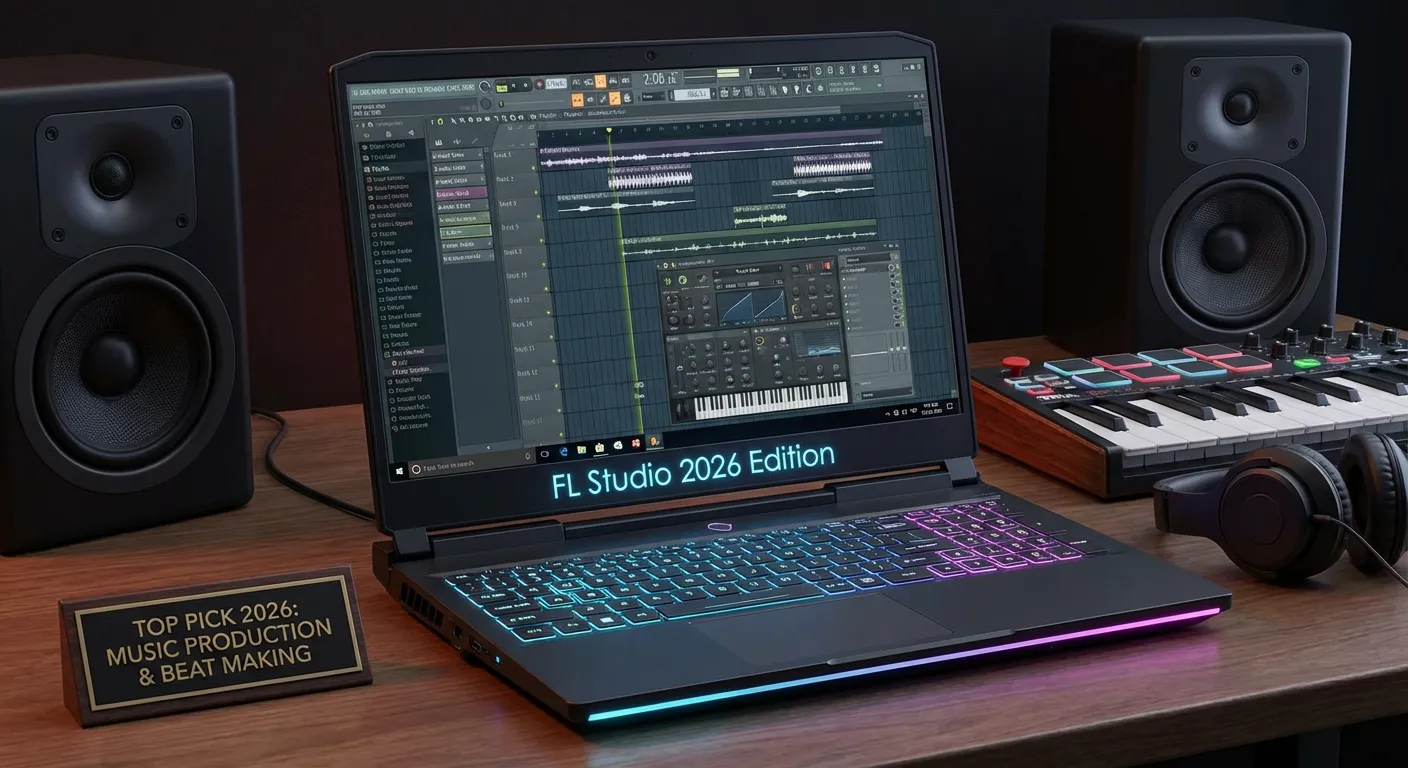
Finding the best gaming laptop for FL Studio 2026 is one of the most important — and most confusing — decisions a music producer can make. Whether you are a bedroom beat maker, a mid-level artist mixing multi-track projects with heavy VST plugins, or a professional running sample-heavy productions, the right laptop needs fast multicore CPU performance, sufficient RAM for large plugin instances, a fast NVMe SSD for real-time sample streaming, and a cooling system that prevents thermal throttling from ruining your creative flow.
Gaming laptops consistently deliver all of these requirements at better price-to-performance ratios than laptops marketed specifically for music production. This guide reviews the top gaming laptops for FL Studio in 2026, covers every critical spec in a practical buying guide, and gives you the framework to pick the right machine for your workflow, budget, and creative ambitions.
💻 ⭐ Top 10 Gaming Laptops – Comparison Table
🏆 Best Laptops Picks (2026)
Why Gaming Laptops Are the Best Choice for FL Studio Music Production
Before diving into specific product recommendations, it is worth addressing the question that many producers ask when they first consider this category: why should I buy a gaming laptop for music production when there are laptops marketed specifically for creative professionals?
The answer comes down to hardware value and specification density. Gaming laptops are designed to handle sustained high-performance workloads — exactly the same demands that FL Studio places on a machine when running large projects with multiple synth plugins, real-time effects chains, sample-based instruments, and low-latency audio processing. The gaming market’s competitive pricing means that for any given budget, a gaming laptop will almost always deliver more multicore CPU performance, more RAM, faster NVMe storage, and better thermal management than a comparably priced ultrabook or creator-marketed laptop.
The specific FL Studio workflow requirements that gaming laptops satisfy particularly well include real-time audio processing without dropouts, fast project loading and sample streaming from PCIe Gen4 SSDs, headroom for multiple plugin instances without buffer size increases, compatibility with ASIO drivers and external audio interfaces via USB-C and USB-A ports, and the physical port variety needed to connect MIDI controllers, audio interfaces, and monitors simultaneously.
The practical trade-offs to manage are fan noise during intensive sessions — solvable by using a quality external audio interface with direct monitoring when tracking live instruments — and battery life during heavy loads, which requires planning for sessions where wall power is not available.
FL Studio Minimum and Recommended Specs for 2026
Understanding what FL Studio actually needs from your hardware is the essential starting point for any laptop buying decision. Many producers overspend on specs that FL Studio does not meaningfully use, while underestimating the areas where the DAW is most demanding.
| Spec Category | Minimum for FL Studio | Recommended for 2026 |
|---|---|---|
| CPU | Modern dual-core, 2GHz+ | 8+ core, Intel i7/i9 or Ryzen 7/9 |
| RAM | 8GB | 16GB minimum, 32GB for heavy projects |
| Storage | 256GB SSD | 1TB NVMe SSD (Gen4 preferred) |
| GPU | Integrated graphics | Dedicated GPU (RTX 4050 or better) |
| Display | 1080p | 1080p–2.5K, 144Hz or higher |
| Ports | USB 2.0 | USB-C, multiple USB-A, HDMI |
| OS | Windows 10 | Windows 11 Pro |
| Audio Driver | Standard Windows | ASIO driver or ASIO4ALL |
The most critical hardware for FL Studio performance is the CPU. The DAW relies heavily on single-core speed for real-time plugin processing and multicore performance for handling large track counts. RAM is the second priority — FL Studio loads virtual instruments and sample libraries into active memory, and running out of RAM forces the system to swap to disk, which creates the audio dropouts and latency spikes that destroy creative flow. Fast NVMe storage is the third critical factor, particularly for producers working with large orchestral sample libraries or extensive sample packs.
Top Gaming Laptops for FL Studio 2026: Full Reviews and Comparisons
Best Overall: ASUS ROG Strix G16 (Intel Core Ultra 9) — $2,399.99
Score: 98/100
The ASUS ROG G16 with Intel Core Ultra 9 275HX, NVIDIA RTX 5070 Ti, 32GB DDR5 RAM, and a 1TB PCIe 4.0 SSD is the single best gaming laptop for FL Studio that money can buy in 2026. Its 2.5K 240Hz ROG Nebula display provides exceptional visual clarity for reading plugin GUIs, automation lanes, and mixer meters simultaneously without fatigue. The Core Ultra 9 275HX delivers both exceptional single-core speeds for real-time plugin processing and enough multicore headroom to run large projects without ever touching the buffer size slider.
Who It’s For: Intermediate to professional producers running complex FL Studio projects with heavy plugin chains, live streaming alongside DAW work, and video editing between sessions.
Verdict: If you are a professional music producer or serious enthusiast who needs the best possible FL Studio laptop performance available in 2026, the ROG G16 delivers it comprehensively and will remain capable for years as your projects grow in complexity.
Best for Creators: Lenovo Legion 5i (Intel i9-14900HX) — $2,099.00
Score: 95/100
The Lenovo Legion 5i combines a 24-core Intel i9-14900HX processor with 32GB DDR5 RAM, a 2TB NVMe SSD, and an NVIDIA RTX 5070 in a package built specifically for demanding creative workloads including music production and video editing. Its standout feature for FL Studio users is the 15.1-inch WQXGA OLED display with 1000-nit peak brightness — extraordinarily accurate color and contrast that makes reading plugin interfaces and automation curves significantly easier than on standard IPS panels.
The 2TB SSD is a genuine productivity advantage for producers with large sample libraries, eliminating the need for external drives and the access-speed penalties that come with them. WiFi 7 connectivity supports fast cloud workflow integration, and the comprehensive port selection handles audio interfaces, MIDI controllers, and monitors without adapters.
Who It’s For: Intermediate to professional producers who split time between music production and video or streaming work and want the best display quality available in a laptop for studio environments.
Verdict: The best gaming laptop for FL Studio creators who prioritize display quality and storage depth alongside raw processing power. The OLED display alone makes it worth the premium over similarly spec’d alternatives for producers who spend long sessions reading detailed plugin interfaces.
Best for Heavy Plugins: ASUS ROG Strix G16 (Ryzen 9) — $2,099.00
Score: 94/100
The AMD Ryzen 9 9955HX variant of the ASUS ROG Strix G16 brings a different CPU architecture to the same class-leading ROG platform. The Ryzen 9 9955HX delivers exceptional multicore performance that excels specifically in the plugin-heavy FL Studio sessions where simultaneous synth instances, effects chains, and sample streaming all compete for processor resources. Paired with 32GB DDR5 and a 1TB PCIe Gen4 SSD, this is a machine designed to run dense FL Studio projects at low buffer sizes without audio dropouts.
The 2.5K 240Hz ROG Nebula display provides the same visual clarity as the Intel variant, and the ROG cooling system keeps the Ryzen 9’s thermal behavior stable during the extended mixing sessions that define professional production workflows.
Who It’s For: Advanced to professional producers whose primary use case is running the maximum possible number of simultaneous plugin instances — synthesizers, samplers, and effects — in FL Studio without raising latency.
Verdict: The better choice over the Intel ROG variant specifically for producers whose primary workflow involves the maximum simultaneous plugin instance counts — the Ryzen 9 architecture’s multicore efficiency gives it a slight edge in sustained plugin-heavy FL Studio performance.
Best Portability Power: ASUS ROG Strix G16 (RTX 5060) — $1,399.99
Score: 90/100
The RTX 5060 variant of the ASUS ROG Strix G16 occupies the ideal middle ground for producers who need genuine portability without sacrificing the processing headroom that serious FL Studio work demands. The Intel Core i7-14650HX paired with 16GB DDR5 and a 1TB Gen4 SSD provides solid performance for moderate to large FL Studio projects, while the RTX 5060 GPU handles OBS streaming alongside DAW work with enough headroom to keep frame rates stable.
At $1,399.99, it delivers ROG platform quality — including the ROG Intelligent Cooling system, the 165Hz display, and tool-free upgrade access for RAM and storage — at a significantly more accessible price point than the premium ROG configurations.
Who It’s For: Beginner to intermediate producers who move between home studio and mobile environments and need a capable FL Studio machine that travels without excessive weight penalty.
Pros:
- 16-inch 165Hz display provides excellent visual workspace for FL Studio
- 1TB Gen4 SSD ensures fast sample streaming and project loading
- Tool-free upgrade access allows RAM and storage expansion as projects grow
- ROG Intelligent Cooling maintains stable performance during long sessions
- $1,399.99 hits the sweet spot between premium performance and accessible price
Cons:
- 16GB DDR5 base configuration will need upgrading for very heavy projects
- Not as powerful as the premium ROG configurations for maximum plugin counts
Verdict: The best option for producers who prioritize portability without fully compromising performance. Upgrade the RAM to 32GB when projects outgrow the base configuration and this machine will serve demanding FL Studio workflows for years.
Best Value Power: Alienware 16 — $998.69
Score: 88/100
The Alienware 16 delivers premium brand quality and solid FL Studio performance at a price that undercuts most premium gaming laptops significantly. Its Intel Core processor paired with 16GB DDR5 RAM, a 1TB NVMe SSD, and an NVIDIA RTX 5050 GPU provides capable performance for mid to large FL Studio sessions. The 16-inch WQXGA display at 120Hz provides a generously sized workspace for arranging tracks and reading the FL Studio mixer simultaneously.
For producers who want the premium build quality and brand assurance of Alienware — including its thermal management reputation and long-term driver support — at under $1,000, the Alienware 16 represents compelling value in the 2026 gaming laptop market for music production.
Who It’s For: Intermediate producers who prioritize build quality and brand reliability alongside performance and want premium-feeling hardware without a premium price.
Pros:
- Alienware build quality and thermal management at under $1,000
- WQXGA 120Hz display provides ample workspace for FL Studio layouts
- 16GB DDR5 and 1TB SSD cover most mid-level production requirements
- Strong USB port selection supports audio interfaces without adapters
- RTX 5050 handles GPU-accelerated plugins and streaming needs
Cons:
- Heavier than competing midrange options
- Fan noise under heavy load requires desk use during recording sessions
- RTX 5050 is the least powerful dedicated GPU in this roundup
Verdict: The best FL Studio laptop for producers who want premium build quality and Alienware’s reliability reputation without paying premium pricing. Solid desk companion for home studio work.
Best Midrange: Acer Nitro V 15 — $949.99
Score: 86/100
The Acer Nitro V 15 is the strongest value proposition in the midrange FL Studio laptop category for 2026. Its Intel Core i7-13620H processor, NVIDIA RTX 4050, 16GB DDR5, and 1TB Gen4 SSD deliver dependable FL Studio performance for home producers and mobile creators at under $950. The 165Hz IPS display provides smooth visual responsiveness during track arrangement, and the Nitro app’s fan profile controls allow producers to dial down cooling noise during recording sessions when quiet operation matters.
The Nitro V’s physical compactness makes it genuinely practical to carry between home, studio, and coffee shop environments — something the larger, heavier premium options cannot match. Its accessible RAM and SSD upgrade paths also mean the machine can grow with your production needs over time without requiring full replacement.
Who It’s For: Beginner to intermediate producers who want solid FL Studio performance with good portability at a budget under $1,000 and prioritize upgrade flexibility.
Pros:
- i7-13620H and RTX 4050 handle most FL Studio projects without issues
- 165Hz IPS display is sharp and smooth for detailed arrangement work
- Gen4 SSD provides fast sample streaming and quick project loads
- Compact form factor travels easily between production environments
- Fan profile controls reduce recording noise during tracking sessions
Cons:
- 16GB RAM will limit very heavy plugin configurations without upgrading
- Not the most powerful option for professional-scale productions
- Plastic chassis lacks premium feel of higher-priced alternatives
Verdict: The best gaming laptop for FL Studio producers who need solid performance, good portability, and a sensible upgrade path all within a budget under $1,000.
Best Budget Starter: MALLRACE LX15 — $579.99
Score: 74/100
The MALLRACE LX15 is the best entry-level gaming laptop for FL Studio beginners in 2026, delivering a surprisingly capable platform for learning music production, composing beats, and running moderate FL Studio projects at a price point that makes serious music production accessible without significant financial risk. Its AMD Ryzen 7 processor paired with 16GB RAM and a 512GB NVMe SSD handles multi-track projects better than the price suggests, and its lightweight chassis makes it easy to use in bedroom studio, college classroom, and café environments alike.
Who It’s For: Beginner producers, students, and hobbyists starting their FL Studio journey who need capable hardware at the most accessible price point in this roundup.
Pros:
- Ryzen 7 CPU handles beginner to intermediate FL Studio sessions well
- 16GB RAM provides solid headroom for entry-level production work
- Lightweight design is easy to carry between sessions
- Fast NVMe SSD provides quick project loads and sample access
- Lowest price point makes FL Studio accessible without major investment
Cons:
- 512GB SSD fills quickly with sample libraries and project files
- Not suitable for professional-scale productions or heavy plugin chains
- Build quality reflects the entry-level price point
Verdict: The right starting point for producers who are new to FL Studio and want capable hardware without spending more than necessary until they understand what their production workflow demands.
Best For On-the-Go: KAIGERR RX16 — $599.99
Score: 76/100
The KAIGERR RX16 is an ideal companion for producers who prioritize mobility and need a lightweight, battery-friendly machine for sketching ideas, editing stems, and running moderate FL Studio sessions away from their main studio setup. Its AMD Ryzen 7 7735HS processor and 16GB DDR5 RAM handle typical production workflows smoothly, and its dual-fan cooling system keeps sustained performance stable during longer sessions.
The 16.1-inch FHD display provides a comfortable workspace for FL Studio’s mixer and piano roll, and its NVMe SSD provides quick project access when inspiration strikes at a show, rehearsal, or recording location away from home.
Who It’s For: Beginner to intermediate producers who need a lightweight, portable FL Studio machine for mobile production, gigs, rehearsals, and on-the-go editing.
Pros:
- Lightweight and compact for genuine day-to-day portability
- Ryzen 7 7735HS handles typical FL Studio projects without strain
- Dual-fan cooling prevents thermal throttling during longer sessions
- 16.1-inch display provides comfortable visual workspace on the go
- Under $600 price point provides excellent portable value
Cons:
- 512GB base SSD requires external storage for large sample libraries
- Integrated graphics limits GPU-accelerated plugin performance
- Less powerful than desk-focused alternatives for heavy plugin chains
Verdict: The best choice for mobile-first producers who need a genuinely portable FL Studio machine for live and travel environments at a budget-friendly price.
🔥 Best Midrange Powerhouse: MSI Katana A15 AI — $1270.99
Score: 89/100
The MSI Katana A15 AI is one of the strongest value-for-money gaming laptops for FL Studio in 2026, packing an AMD Ryzen 7 8845HS processor with 32GB DDR5 RAM and a 1TB NVMe SSD into a well-cooled chassis at a price that comfortably undercuts competing 32GB configurations. For FL Studio producers, 32GB DDR5 at this price point is the standout specification — it provides the RAM headroom to run large sample libraries, multiple simultaneous VST plugin instances, and heavy effects chains without the audio dropouts or buffer size compromises that plague 16GB configurations under similar workloads.
The RTX 4060 GPU brings genuine graphics capability for producers who also stream or do light video work, and MSI’s Cooler Boost 5 dual-fan thermal system keeps the Ryzen 7 running at sustained clock speeds during the long mixing and rendering sessions that define professional production workflows. The 15.6-inch 144Hz FHD IPS display provides a comfortable workspace for FL Studio’s mixer, piano roll, and channel rack, and the four-zone RGB backlit keyboard is practical for late-night studio sessions.
Who It’s For: Intermediate producers who need 32GB RAM for heavy plugin sessions but cannot stretch to the $2,000+ premium tier — the MSI Katana A15 AI delivers that memory headroom at a significantly more accessible price.
Pros:
- 32GB DDR5 RAM handles heavy FL Studio plugin configurations without dropout risk
- Ryzen 7 8845HS delivers strong multicore performance for plugin-heavy sessions
- RTX 4060 8GB handles OBS streaming alongside DAW work comfortably
- 1TB NVMe SSD provides fast sample streaming and quick project loads
- Cooler Boost 5 maintains sustained CPU performance during long studio sessions
- WiFi 6E ensures fast connectivity for cloud collaboration and file transfers
Cons:
- 15.6-inch 144Hz FHD display lacks the resolution of premium alternatives
- Heavier than truly portable options at 4.96 lbs
- Fan noise under heavy load requires desk-based recording workflow
Verdict: The best 32GB gaming laptop for FL Studio under $1,100. If RAM headroom for plugin-heavy production is your top priority but your budget stops well short of the premium tier, the MSI Katana A15 AI delivers the specification that matters most at a price that makes sense.
💡 Best Slim Value Pick: MSI Thin 15 (i7 + RTX 4050) — $649.99
Score: 79/100
The MSI Thin 15 with Intel Core i7-13620H, NVIDIA GeForce RTX 4050, 16GB DDR5, and a 512GB NVMe SSD occupies an important space in the FL Studio laptop market: it is a genuine gaming laptop with a dedicated GPU, a capable 8-core Intel processor, and MSI’s Cooler Boost 5 thermal system in a compact, lightweight chassis that makes it significantly more portable than the heavier premium options in this roundup. For beginner to intermediate FL Studio producers who want a dedicated GPU, an Intel Core i7, and a reputable gaming brand without spending close to $1,000, the MSI Thin 15 is a compelling option.
The i7-13620H’s hybrid core architecture — combining Performance-cores and Efficient-cores — provides responsive multitasking performance that keeps FL Studio, browser tabs, and communication apps running simultaneously without noticeable slowdowns. The RTX 4050 GPU gives producers the option to livestream their sessions via OBS without CPU overhead penalty. MSI’s Hi-Resolution Audio and DTS Audio integration are bonus features that improve monitoring quality through the built-in speakers during sketch sessions.
The primary limitation for serious FL Studio work is the 512GB SSD capacity, which fills quickly when combining project files with sample libraries. Planning for an external SSD or a storage upgrade is recommended from day one if your library is large.
Who It’s For: Beginner producers and students who want a genuine gaming laptop with Intel i7 performance and a dedicated RTX GPU at a budget under $700, with the portability to move between bedroom, college, and coffee shop environments.
Pros:
- Intel Core i7-13620H delivers solid FL Studio performance for beginner to intermediate sessions
- NVIDIA RTX 4050 enables streaming and GPU-accelerated plugin support
- Slim, lightweight design is genuinely portable day-to-day
- MSI Cooler Boost 5 maintains stable performance during moderate sessions
- Hi-Res Audio and DTS Audio improve built-in speaker monitoring quality
- WiFi 6E delivers fast connectivity for cloud workflows
Cons:
- 512GB SSD requires external storage planning for large sample libraries
- 16GB DDR5 limits very heavy plugin configurations without RAM upgrade
- 144Hz FHD panel is functional but not exceptional for professional color work
Verdict: The best slim, portable gaming laptop for FL Studio beginners who want Intel Core i7 performance, a dedicated GPU, and a recognizable gaming brand under $700. Plan for storage expansion and this machine will serve your early production journey well.
Buying Guide: How to Choose the Best Gaming Laptop for FL Studio
Factor 1: CPU — The Most Critical Spec for FL Studio
The processor is the single most important hardware component for FL Studio performance. The DAW relies on CPU power for real-time plugin processing, effects chain rendering, and audio playback — and when the CPU cannot keep up, you hear it immediately as audio dropouts, crackling, and the dreaded buffer underrun.
For 2026, look for a modern 8-core or higher processor with strong single-core boost speeds. Intel Core i7 and i9 14th generation options and AMD Ryzen 7 and Ryzen 9 series processors both deliver excellent FL Studio performance. The Intel Core Ultra 9 275HX and AMD Ryzen 9 9955HX represent the current performance ceiling for laptop CPUs in this context.
For budget producers, even the AMD Ryzen 7 7735HS found in the KAIGERR and MALLRACE options provides sufficient performance for learning and intermediate production work — the performance gap between budget and premium CPUs becomes meaningful only at higher plugin and track counts.
Factor 2: RAM — How Much Do You Actually Need?
FL Studio loads virtual instruments, sample libraries, and plugin states into active RAM. Running out of RAM while a session is playing causes immediate audio dropouts as the system attempts to swap memory to disk. The practical RAM requirements for FL Studio in 2026 break down as follows: 16GB is sufficient for beginner to intermediate producers running moderate track counts with standard plugins; 32GB is recommended for professional productions with heavy sample libraries, orchestral instruments, and many simultaneous plugin instances; 48GB becomes relevant only for the most extreme production workloads combining very large sample libraries with extremely high track counts.
Most producers working at professional levels in 2026 will find 32GB DDR5 to be the right balance of cost and headroom. The good news is that most gaming laptops in this roundup offer RAM upgrade paths, meaning you can start with 16GB and expand later as your productions grow.
Factor 3: Storage — NVMe SSD Speed and Capacity
Storage affects FL Studio performance in two distinct ways: project load speed and real-time sample streaming. When you open an FL Studio project, the SSD needs to load the project file, all associated plugin states, and any audio files referenced in the arrangement. During playback, sample-based instruments stream audio data from the SSD in real time — and if the SSD cannot keep up with streaming demand, you hear it as glitching, dropouts, and latency.
PCIe Gen4 NVMe SSDs, found in most of the premium options in this roundup, provide sequential read speeds around 5,000–7,000 MB/s — significantly faster than the Gen3 SSDs found in older laptops. For most FL Studio workflows, any modern NVMe SSD will perform adequately, but Gen4 speeds become genuinely noticeable when streaming multiple large sample-based instruments simultaneously.
For capacity, plan for at least 1TB for a serious production environment. Sample libraries alone can consume hundreds of gigabytes, and FL Studio projects with their associated audio recordings, rendered stems, and backups accumulate quickly. The Lenovo Legion 5i’s 2TB SSD configuration eliminates external drive dependency entirely for most producers.
Factor 4: GPU — Do You Really Need a Powerful Graphics Card?
FL Studio itself is not a GPU-intensive application — the DAW’s processing load falls almost entirely on the CPU and RAM. However, a dedicated GPU becomes relevant in several FL Studio contexts: GPU-accelerated visual plugins, live streaming alongside DAW work using OBS, video editing between sessions, and future-proofing as more FL Studio plugins begin to leverage GPU processing.
The RTX 4050 found in the Acer Nitro V represents the practical minimum for a dedicated GPU in a music production laptop in 2026. The RTX 5050 through RTX 5070 Ti options in the premium picks provide comfortable headroom for streaming, visual plugins, and any GPU-adjacent creative tasks. Integrated graphics — found in the KAIGERR and MALLRACE budget options — are technically sufficient for pure FL Studio work but will limit streaming and GPU-accelerated plugin usage.
Factor 5: Display, Ports, and Cooling Considerations
The display matters more for music production than many producers initially appreciate. A larger, higher-resolution display allows you to keep the FL Studio mixer, playlist, and piano roll simultaneously visible without constant window management — directly improving workflow efficiency during complex arrangement and mixing sessions. The OLED display on the Lenovo Legion 5i represents the current quality ceiling for music production laptop displays.
Port selection determines how easily you can connect your audio interface, MIDI controller, and monitors without dongles or hubs. Look for at least two USB-A ports and one USB-C port that supports USB 3.2 speeds for connecting audio interfaces. HDMI 2.1 allows external monitor connection for expanded workspace when in home studio environments.
Cooling is the most underappreciated factor in music production laptop selection. Thermal throttling — when the laptop reduces CPU performance to manage heat — manifests as audio dropouts and latency spikes during intensive sessions. All of the ASUS ROG options in this roundup feature proven ROG thermal systems that maintain sustained performance during extended mixing and rendering sessions.
Factor 6: Low Latency Audio Setup — Beyond the Hardware
The laptop hardware is only part of the low-latency audio equation for FL Studio. Achieving professional-level audio performance also requires proper driver configuration and session management practices.
Always use an ASIO driver for audio output in FL Studio — either the manufacturer-provided ASIO driver for your audio interface or ASIO4ALL if using the laptop’s built-in audio. Set your buffer size based on the task: use lower buffer sizes (64–128 samples) when recording live instruments where latency is audible, and higher buffer sizes (256–512 samples) during mixing sessions where latency is not perceptible.
Keep your Windows power plan set to High Performance during production sessions, disable unnecessary background applications and Windows Defender real-time scanning during critical sessions, and use direct monitoring on your audio interface when recording to eliminate round-trip latency entirely. When projects become CPU-heavy, use FL Studio’s freeze and bounce functions to convert active plugin channels to audio, freeing CPU resources for the channels still requiring real-time processing.
Frequently Asked Questions
What is the best gaming laptop for FL Studio in 2026? The ASUS ROG Strix G16 with Intel Core Ultra 9 275HX, 32GB DDR5, and RTX 5070 Ti is the best overall gaming laptop for FL Studio in 2026, delivering the most headroom for large projects, heavy plugins, and streaming simultaneously.
Can I use a gaming laptop for music production in FL Studio? Yes, gaming laptops are excellent for FL Studio. They deliver powerful multicore CPUs, fast RAM, NVMe SSDs, and good port selection at competitive prices — exactly the hardware FL Studio needs for smooth audio production and low-latency performance.
How much RAM do I need for FL Studio in 2026? 16GB DDR5 is sufficient for beginner to intermediate FL Studio projects. Professional producers running heavy sample libraries and many simultaneous plugin instances should target 32GB for comfortable headroom without audio dropouts.
Is a dedicated GPU necessary for FL Studio? FL Studio itself does not require a dedicated GPU for audio processing. However, a dedicated GPU like the RTX 4050 or better helps with GPU-accelerated visual plugins, OBS streaming alongside DAW work, and video editing between sessions.
What SSD speed do I need for FL Studio sample streaming? Any modern NVMe SSD provides adequate speed for standard FL Studio workflows. PCIe Gen4 SSDs with 5,000+ MB/s read speeds become noticeably beneficial when simultaneously streaming multiple large sample-based instruments in complex orchestral or sound design projects.
How do I reduce latency in FL Studio on a gaming laptop? Use an ASIO driver through a quality external audio interface, set your buffer size to match your task (low for recording, higher for mixing), set Windows to High Performance power mode, disable background applications, and use FL Studio’s freeze function to reduce CPU load in large sessions.
What is the best budget gaming laptop for FL Studio? The Acer Nitro V at $949 is the best budget option with solid FL Studio performance and upgrade paths. For entry-level producers, the MALLRACE LX15 at $579 provides capable performance for learning and beginner production work.
Is the ASUS ROG G16 good for music production? Yes. The ASUS ROG G16 is excellent for music production. Its Core Ultra 9 or Ryzen 9 processor, 32GB DDR5 RAM, PCIe Gen4 SSD, and proven ROG cooling system make it one of the most capable gaming laptops for FL Studio available in 2026.
How much should I spend on a laptop for FL Studio? Budget beginners can get solid FL Studio performance from $579–$949 laptops. Intermediate producers should target $1,000–$1,400 for comfortable headroom. Professional producers running complex sessions with heavy plugins and streaming should budget $2,000–$2,400 for the best available performance.
Which is better for FL Studio: Intel or AMD laptop CPU? Both Intel and AMD deliver excellent FL Studio performance in their current generations. Intel Core Ultra and i9 processors offer strong single-core boost speeds, while AMD Ryzen 9 chips deliver exceptional multicore efficiency for plugin-heavy sessions. Either architecture performs well — the specific chip model and thermal implementation matter more than the brand.
Conclusion
Choosing the best gaming laptop for FL Studio in 2026 comes down to matching your hardware investment to your actual production workflow demands. The ASUS ROG G16 with Intel Core Ultra 9 275HX stands as the definitive choice for professional producers who need the maximum available processing headroom, display quality, and long-term upgrade potential in a portable form factor. The Lenovo Legion 5i offers the best OLED display and storage depth for creators who split time between music production and video work. The Acer Nitro V and Alienware 16 represent the strongest value propositions in the midrange, delivering capable FL Studio performance for intermediate producers without requiring premium-tier investment. And for beginners entering the production world, the MALLRACE LX15 and KAIGERR RX16 provide genuinely functional FL Studio platforms at price points that make the creative journey accessible without financial overcommitment. Whatever your budget and workflow, the right gaming laptop for FL Studio exists in this roundup — the key is matching the hardware to the specific demands your sessions actually place on a machine, then investing in the areas where FL Studio’s performance sensitivity is highest: CPU speed, RAM capacity, and NVMe storage throughput.
Affiliate Disclosure: Some links on this site are affiliate links. We may earn a small commission if you purchase through them, at no additional cost to you. We only promote products we trust. Please research before making any purchase.